Focus & learning
Block a distracting app with timed access
FocusPass: App Blocker · Block the apps that interrupt you. When you need one, choose a timed pass before opening it.
Free to download in the U.S. and Canada. Check the App Store for current pricing and available purchases.
Requires iOS 18.0 or later. U.S. version 2.3.0 · Store details checked .
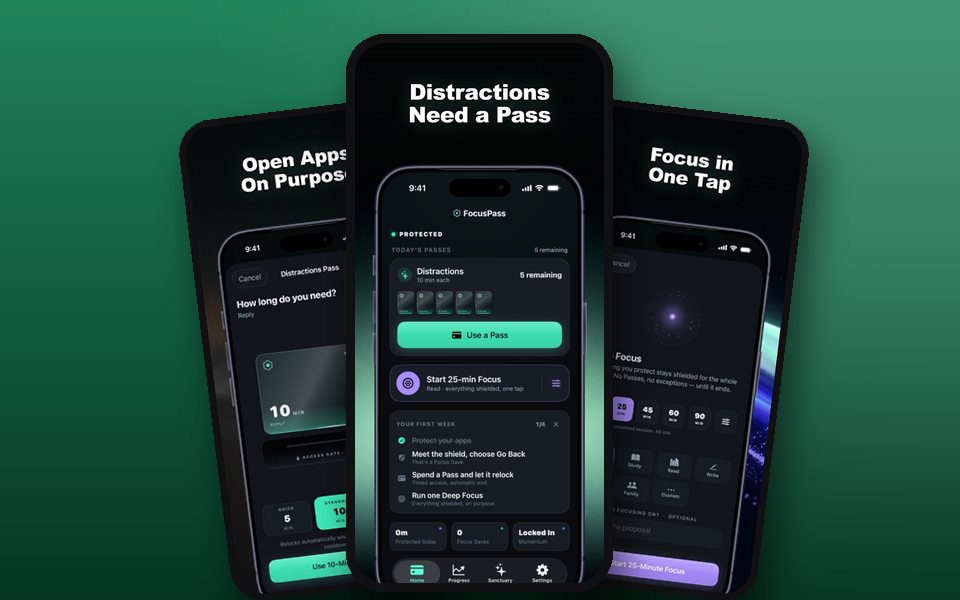
Try this first
Pick one app you keep reopening and one task you want to finish. Reserve a focus block, then use a timed pass only if the blocked app is needed for that task.
Free browser practice: When to end a timed app passWho it suits
Choose FocusPass if the main problem is reopening a specific app while you are trying to work.
View FocusPass on the App StoreSend someone this example
Share the first-use guide, including the free browser example.
Try Time Debt next
Use a flexible daily budget when limits matter more than timed access to individual apps.
See Time Debt and its first stepsTry another free browser activity
Match the app to your goal
Pick an iPhone focus app for the problem you have
See it in use
- Start a phone-free session together · Interactive example
- Will a phone break fit before my meeting? · Interactive example
- Focus session interruption time calculator · Interactive example