Home & work
Turn a client request into a calendar booking
BookingSolved: Client Booking · Turn a client’s appointment request into an Apple Calendar booking and a ready-to-send confirmation.
Free to download in the U.S., Canada and the UK at the November 22, 2026 check. Compare local download prices in nine storefronts. Apple shows current prices and in-app purchases.
Requires iOS 18.0 or later. U.S. version 1.1.2 · Store details checked .
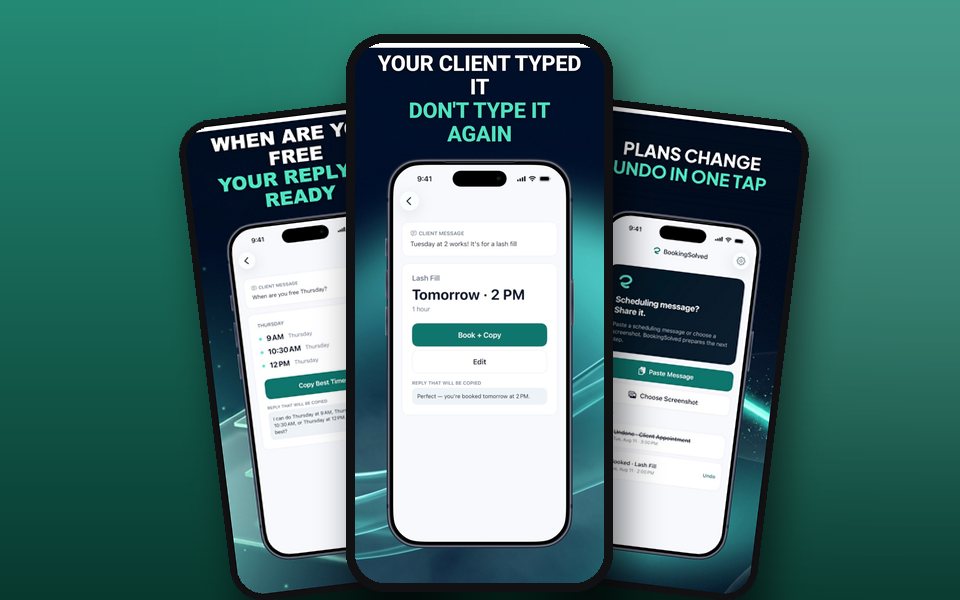
Try this first
Start with one appointment request. Confirm its start time, duration and any turnaround buffer, then check the calendar entry before sending the client’s confirmation.
Free browser practice: Appointment buffers and booking repliesWho it suits
Choose BookingSolved if you enter bookings yourself and want a ready-to-send confirmation alongside your calendar entry.
View BookingSolved on the App StoreSend someone this example
Share the first-use guide, including the free browser example.
Try ScopeBid next
Build an estimate and turn it into an invoice when a booking leads to paid project work.
See ScopeBid and its first stepsTry another free browser activity
Match the app to your goal
Choose an iPhone app for a client quote or booking
See it in use
- Fit bookings around a fixed finish · Interactive example
- Appointment reminder cutoff planner · Interactive example
- Offer three appointment times in one link · Interactive example