Home & work
Turn a client request into a calendar booking
BookingSolved: Client Booking · Turn a client’s appointment request into an Apple Calendar booking and a ready-to-send confirmation.
Free to download in the U.S. and Canada. Check the App Store for current pricing and available purchases.
Requires iOS 18.0 or later. U.S. version 1.1.2 · Store details checked .
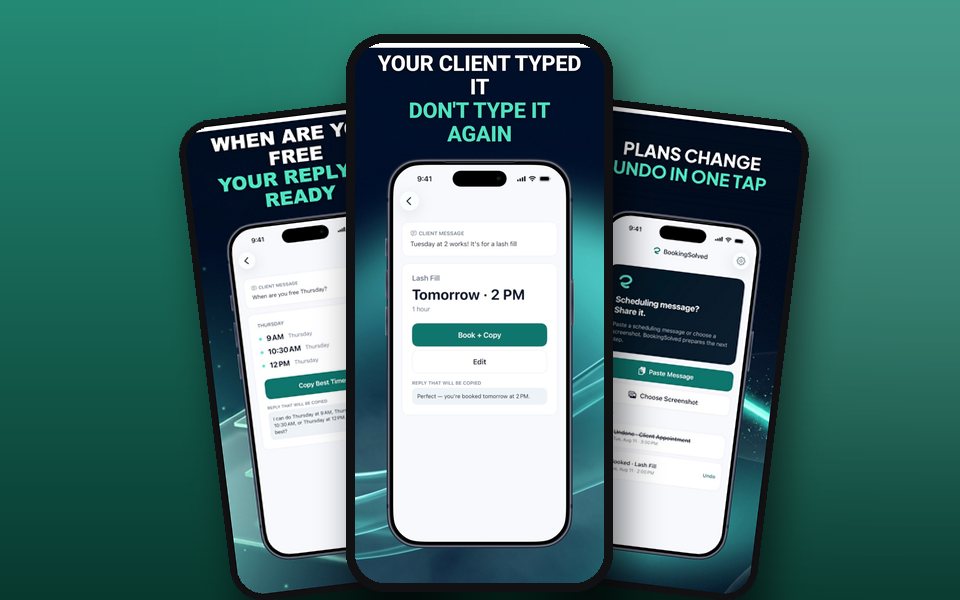
Try this first
Start with one appointment request. Confirm its start time, duration and any turnaround buffer, then check the calendar entry before sending the client’s confirmation.
Free browser practice: Appointment buffers and booking repliesWho it suits
Choose BookingSolved if you enter bookings yourself and want a ready-to-send confirmation alongside your calendar entry.
View BookingSolved on the App StoreSend someone this example
Share the first-use guide, including the free browser example.
Try ScopeBid next
Build an estimate and turn it into an invoice when a booking leads to paid project work.
See ScopeBid and its first stepsTry another free browser activity
Match the app to your goal
Choose an iPhone app for a client quote or booking
See it in use
- Fit bookings around a fixed finish · Interactive example
- Appointment reminder cutoff planner · Interactive example
- Offer three appointment times in one link · Interactive example